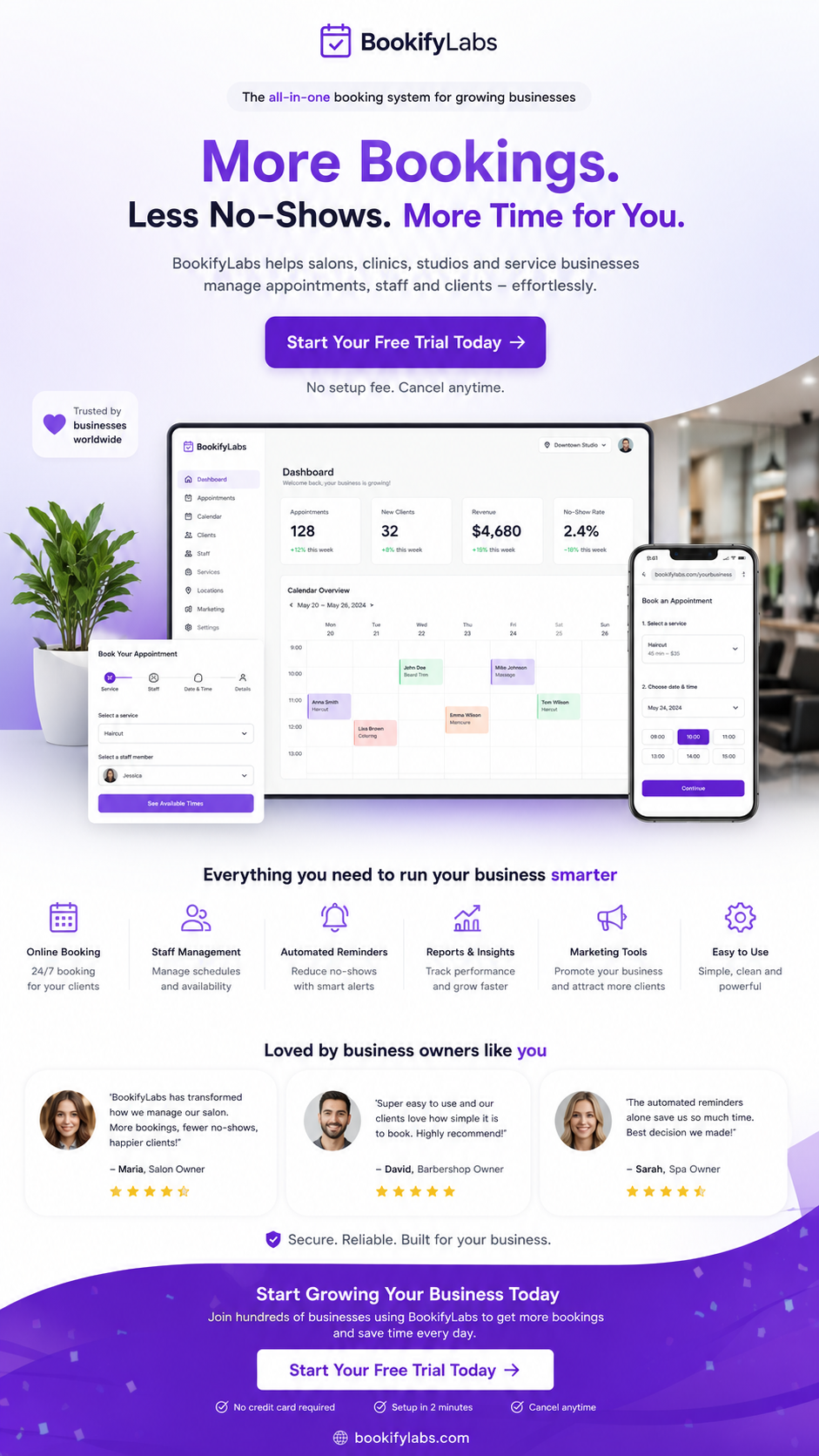
Clients today expect to book services the same way they order food or reserve a table — instantly, online, and without waiting for a reply. If your salon, barbershop, clinic, or local service business still relies mainly on phone calls or WhatsApp messages, you are making it harder than necessary for people to become paying customers.
Accepting appointments online is no longer optional for growing service businesses. A proper online booking system, supported by appointment scheduling software and an AI booking assistant, lets clients reserve times 24/7 while giving you a clear booking calendar and automated tools that reduce no-shows. This guide explains exactly how to set it up and what features matter most.
Why Accepting Appointments Online Matters
When clients can only book by calling or messaging, every enquiry depends on someone being free to reply. After-hours interest is lost, busy periods create bottlenecks, and staff are constantly interrupted. An online appointment booking system removes these barriers.
Businesses that switch to online scheduling typically see more completed bookings, fewer no-shows, and less time spent on administrative back-and-forth. Clients get a faster, clearer experience and the business gains a professional, always-available booking channel.
What You Need to Accept Appointments Online
To accept appointments online effectively you need more than a simple contact form. The core components of good appointment booking software include:
- Online booking page: A mobile-friendly page where clients can see services, staff, and real-time availability.
- Booking calendar: A live view of all appointments that prevents double-bookings.
- Staff scheduling software: Tools to set working hours, breaks, and time off for each team member.
- Service and duration settings: Accurate lengths and prices so the calendar stays realistic.
- Automated confirmations and reminders: Messages that help reduce no-shows.
- Appointment booking link: A shareable link for Instagram, Google, email, and messaging apps.
- Optional AI booking assistant: A conversational AI receptionist that can answer questions and complete bookings.
Step-by-Step: How to Start Accepting Online Appointments
1. Choose the Right Booking Software
Look for appointment scheduling software designed for service businesses rather than generic calendar tools. The best options for salons, barbershops, wellness studios, and clinics include real-time availability, staff schedules, automated reminders, and ideally an AI booking chatbot. Platforms built for local businesses make setup faster and the client experience smoother.
2. Set Up Services, Staff and Availability
Add every service you offer with its correct duration and price. Create staff profiles and define their working hours, days off, and any buffer times needed between appointments. Accurate setup is the foundation of reliable online scheduling and prevents overbooking.
3. Create Your Online Booking Page and Booking Link
Most booking platforms generate a clean online booking page and a shareable appointment booking link. Place the link on your website, Google Business Profile, Instagram bio, email signature, and any other place clients discover you. The fewer clicks between interest and a confirmed booking, the higher your conversion rate.
4. Turn On Automated Reminders
Enable automatic confirmation messages and reminders (usually 24–48 hours before the appointment). This simple step is one of the most effective ways to reduce no-shows and protect revenue.
5. Add an AI Booking Assistant (Optional but Powerful)
An AI scheduling assistant or appointment chatbot lets clients book through natural conversation instead of only using a form. They can ask about services, check availability, and complete the reservation in a chat-like experience. This is especially useful for clients who prefer messaging and for capturing bookings outside normal hours.
Online Booking vs Traditional Methods
Phone calls and WhatsApp messages still have a place for complex questions or existing client relationships. For new bookings and routine scheduling, however, they are slower and more error-prone. A dedicated booking platform centralises everything in one appointment management system, shows live availability, and removes the need for constant manual replies.
Businesses that replace WhatsApp bookings with structured online appointment booking usually gain both time and revenue. Staff spend less time coordinating diaries and more time delivering the actual service.
Features That Matter Most for Salons and Barbershops
- Real-time booking calendar linked to individual staff schedules
- Support for different service lengths and add-ons
- Easy sharing of an appointment booking link on social media
- Automated reminders that help reduce no-shows
- Client history and notes for better personalisation
- Mobile-friendly online booking page
- Optional AI receptionist for conversational booking
- Simple appointment management for the whole team
How BookifyLabs Makes Online Booking Simple
BookifyLabs is appointment scheduling software built for service businesses. It provides a complete online booking system, staff scheduling tools, automated reminders, and a clear booking calendar that keeps everything organised in one place.
Booky AI is the AI booking assistant from BookifyLabs. It works as a customer booking assistant and AI receptionist, answering questions and guiding clients through automated appointment booking at any time of day. Together, the platform and Booky help salons, barbershops, wellness businesses, and clinics accept more appointments with less manual work.
Explore BookifyLabs, learn more about Booky AI, or view current pricing plans to find the right fit for your business.
Common Mistakes to Avoid
- Using a generic calendar tool that is not designed for service appointments
- Forgetting to set accurate service durations and buffer times
- Not sharing the appointment booking link widely enough
- Skipping automated reminders and then wondering why no-shows remain high
- Keeping WhatsApp as the main booking channel instead of directing clients to the online system
Frequently Asked Questions
Do I need a website to accept appointments online?
No. Most booking platforms give you a ready-made online booking page and appointment booking link that you can share on social media, Google, or messaging apps. A website is helpful but not required to get started.
Can small businesses use professional booking software?
Yes. Booking software for small businesses is often the highest-impact tool an owner can adopt. It reduces administrative work and captures bookings that would otherwise be lost.
What is the difference between a booking form and an AI booking assistant?
A traditional online form requires clients to navigate menus step by step. An AI booking assistant lets them describe what they need in natural language and guides them to a confirmed appointment. Many platforms now offer both options.
Will online booking help reduce no-shows?
Yes. Automated confirmations, reminders, and easy self-service rescheduling are proven ways to lower no-show rates when using appointment scheduling software.
Start Accepting Appointments Online Today
Making it easy for clients to book is one of the simplest ways to grow revenue and reduce daily stress. With the right online booking system, staff scheduling tools, and optional AI booking assistant, you can offer professional 24/7 appointment booking while keeping full control of your calendar.
Ready to get started? Explore BookifyLabs appointment scheduling software and Booky AI, or check the available pricing plans and begin accepting more appointments online with less effort.